Code
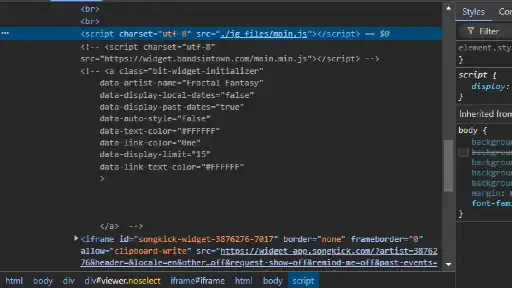
I tried investigating the code to figure out how any of the crazy interactive backgrounds were working, but there really isn’t a lot of HTML and CSS, at least less than what I thought there would be. One element I did find in common that highlights over the entire page when hovering in inspect is the canvas element. Therefore, my best guess is that the canvas gets modified with a lot of complex JavaScript, but investigating that to know for sure would be way too difficult. As for the code itself, I found a decent amount of commented out blocks. That’s fine for testing, but I usually like to clean up my code once it’s ready for production, so I just think those commented blocks are a little distracting when trying to figure out the code, especially considering they’re in multiple locations. Finally, refreshing the tour page with inspect open makes the net only load as far as the top of the dev tools, which I assume is a positioning/sizing bug.
UI
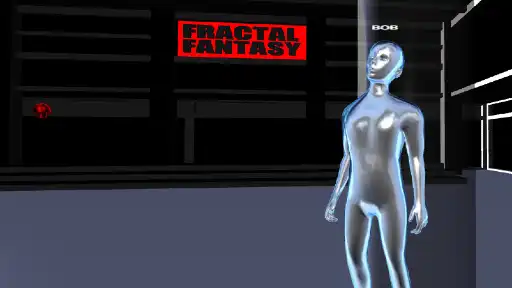
Even though it’s a little disorienting, I love the net on the tour page. Other sites have interactive elements, but this one is just satisfying to play with. At first, I thought it was just a moving background based on your mouse cursor position, but then I started to tear a couple of holes in the net from moving the cursor too quickly. I thought this was just a bug, but then I tried figuring out if there was any consistent method of causing holes. If you press and hold left click and drag across the net, the holes are, in fact, intentional. You can even rip the entire net and make it fall off the bottom of the screen, and any weak points left in a connection will function based on real life weight physics and simply tear. The rest of the pages are cool in their unique ways, but I’ll briefly mention one that’s more interactive than just pointer dragging. In club simulator, you can give your avatar a name, pick his metallic color, and make him jump or dance with the spacebar or left click.
UX
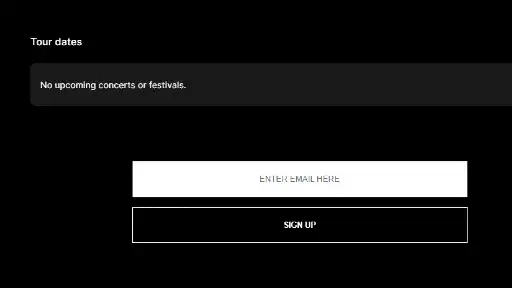
While I am ok with the fact that parts of this site are hard to look at at times, one part that annoys me on the tour page is the purple flash whenever you scroll. I don’t have epilepsy, but flashing lights like that can still cause a little discomfort for the average person. I know it’s intentional as well because I found a comment in the code that said “flash scroll,” and the name of the JavaScript function is literally “spazz.” Due to a lack of explanations, it’s kind of hard to understand the point of the site, but I also understand incorporating paragraphs into this site’s theme may be difficult. As far as I can tell, it’s a band’s website that also promotes other people’s music. Two unanswered questions from that, though, are how does one get featured (possibly the sign-up box on the tour page), and who makes the cool background for your feature: yourself or Fractal?
Summary
When browsing the cool website Reddit thread, I didn’t expect to find something like this. Is it a website design I would ever use? No, but that doesn’t mean it’s not interesting. Some of the interactive pages even let you alter settings to make them behave differently.